

LTX Desktop is a free, open-source AI video editor that runs locally on supported hardware, mixes generation with a real timeline, and feels less like a toy demo and more like the start of a new editing category.
What Just Happened With LTX Desktop?
LTX Desktop arrived as a beta desktop app from Lightricks, built around the same LTX-2.3 engine released alongside it. Officially, it is a free, open-source desktop app for generating and editing video with local inference on supported Windows NVIDIA systems, plus an API mode for unsupported hardware and macOS. That combination matters because this is not just another prompt box wearing a blazer and calling itself a workstation. It is trying to fuse generative video and nonlinear editing into one place.
The headline feature is not merely that it can make clips. Plenty of tools can make clips. The interesting part is that LTX Desktop lets you do AI-native actions directly in an editor: reroll a shot in the timeline, keep multiple takes nested non-destructively, fill a gap between clips, retake part of a shot, and then export XML back out to bigger editing apps when needed. That is a much smarter vision than pretending a one-shot generator can replace editing craft overnight.
Why This Feels Bigger Than Another AI Release
The most valuable AI video skill is still editing. Prompting can get you a clip. Editing gets you pace, rhythm, sequence logic, and emotional control. LTX Desktop does not magically automate taste, but it does move AI generation closer to the place where taste is actually applied: the timeline. That is why this release feels important. It acknowledges that creators do not make finished stories in isolated five-second bursts. They shape them clip by clip, cut by cut, revision by revision.
Lightricks is also framing LTX Desktop as proof that the underlying engine is credible enough to build on, not just benchmark. The company says the editor is built entirely on LTX-2.3 with no proprietary layer sitting on top, and that the app is open source so the community can fork it, extend it, and wire in additional workflows. In plain English: this is infrastructure with opinions, not just a shiny demo day prop.
LTX-2.3 in Plain English
LTX-2.3 is the model foundation underneath the desktop app. According to the official model card and release materials, it improves audio and visual quality, prompt adherence, and supports an expanded set of checkpoints including distilled variants and latent upscalers. The LTX site also highlights sharper detail, stronger motion, cleaner audio, and native portrait support as key upgrades. That means the editor is not standing on old model legs; it launched attached to a fresher engine.
| What matters | Why creators should care |
|---|---|
| Open-source desktop editor | You can inspect it, fork it, and potentially customize it instead of waiting on a closed roadmap. |
| Local generation on supported Windows GPUs | Your footage, prompts, and outputs can stay on your machine after setup. |
| API fallback mode | People without the required hardware can still use core generation features. |
| AI-native timeline tools | Non-destructive rerolls, gap fill, and retakes are more editor-friendly than starting over from scratch. |
| XML round-trip support | You can move projects into Premiere Pro, DaVinci Resolve, or Final Cut Pro workflows. |
The Good News: Installation Looks Surprisingly Civilized
One reason the video sounds so impressed is that open-source AI installs are usually a little too adventurous. LTX Desktop appears much more approachable. The official site says Windows local use involves first-run downloads for a Python environment and AI models, while the GitHub README documents local versus API mode clearly. The app can also use a free LTX API key for cloud text encoding, which the repository recommends because it speeds things up and saves memory.
The catch is storage. Official documentation says the wizard may download the main checkpoint, optional fast mode assets, an upsampler, a local text encoder, and Z-Image Turbo depending on what features you want. So yes, this is one of those moments where your neglected downloads folder may finally face judgment.
The Bad News: Hardware Is Still the Bouncer at the Door
At launch, the biggest practical limit is hardware. The GitHub README says local generation is supported on Windows with CUDA GPUs that have at least 32GB of VRAM; otherwise Windows systems fall back to API-only mode, macOS is API-only, and Linux is not officially supported. V1 is exciting, but not yet universally accessible as a fully local tool.
That sounds severe because it is. But it also may not be permanent. The open-source nature of the project means people are already experimenting with ways to reduce those requirements. So the correct takeaway is not “game over.” It is “early access energy, with a chance of rapid improvement.”
Where LTX Desktop Gets Actually Interesting
The editor includes the usual basics: timeline editing, trim tools, transitions, primary color correction, subtitle tools, text overlays, keyboard shortcut presets, and export options including H.264 and ProRes. That alone would make it more serious than the average AI clip generator pretending to be a production suite.
But the genuinely wild stuff is the AI-native behavior. You can regenerate a shot directly from the timeline, keep alternate takes attached to the same clip, and switch between them without destroying the edit. That is exactly the kind of workflow idea that makes editors lean in instead of rolling their eyes. It treats generation like revision material, not a one-and-done magic trick.

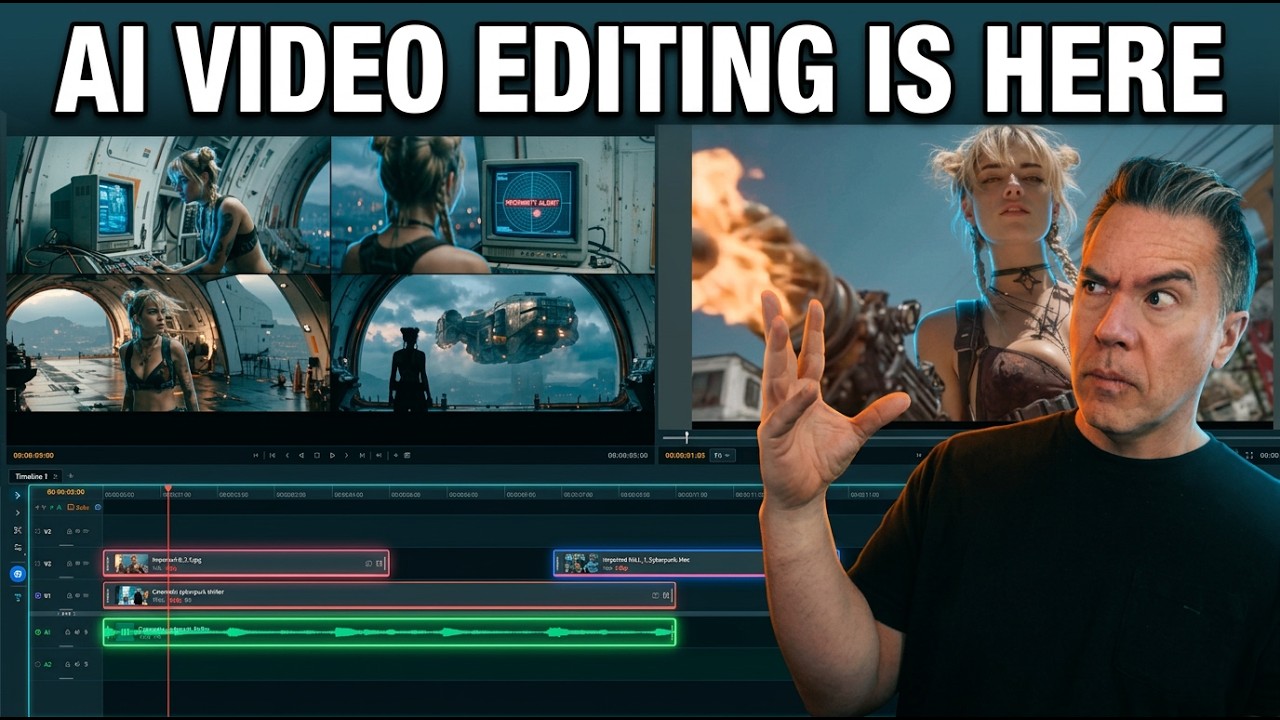
This is the best visual anchor for the moment the host opens a project and shows that LTX Desktop is not just a generation playground but a full timeline-based editor with bins, viewers, layers, and audio tracks. The official repository image above closely matches that part of the walkthrough.
Three Features That Matter Most
- Regenerate shot directly on the timeline for quick alternate takes.
- Fill a gap between clips with generated video for rough bridge shots and transitions.
- Retake a specific section instead of redoing the whole clip.

This is the section where the host explains durations, resolutions, and the generation workspace before jumping into the editor. The official Gen Space image is a strong substitute visual because it shows the clip grid and prompt-driven generation environment the article is discussing.

This is the cleanest educational visual in the whole walkthrough because it demonstrates the editor’s “fill with video” concept in one glance. The official image above mirrors the feature the host describes when selecting an empty space between two shots and generating a bridge.
What LTX Desktop Still Cannot Do
This is still a beta. The GitHub README literally says to expect breaking changes, and the official site calls it beta as well. Lets also point out rough edges: certain timeline-driven retake behaviors are not fully polished yet, plugin ecosystems are not there, and nobody should confuse this with a finished replacement for Premiere Pro, DaVinci Resolve, or Final Cut Pro. That is not a flaw in the thesis. It is just the reality of version one.
And honestly, that is fine. The smarter use case right now is hybrid. Generate, experiment, retake, and rough-cut inside LTX Desktop, then round-trip via XML into your main editor when it is time to polish the final product. That workflow feels immediately believable.
The Real Takeaway
LTX Desktop matters because it pushes AI video toward the place where professionals actually work: a timeline with revision logic. The open-source angle makes it more interesting, not less, because editors, tinkerers, and startups can extend it in directions a single vendor might never prioritize. It is rough, opinionated, limited by hardware, and very obviously early. It is also one of the first AI video tools in a while that feels like it understands editing is not a side quest. It is the whole game.
FAQ
Is LTX Desktop really free?
Yes. LTX Desktop is described by Lightricks as free and open source under Apache 2.0, though the model weights are downloaded separately and may have additional license terms.
Can you run LTX Desktop fully locally on a Mac?
Not at launch. Official documentation says macOS uses API-based generation rather than local generation.
Does LTX Desktop replace Premiere or DaVinci Resolve?
No. Right now it looks better as an AI-native editing companion with XML handoff than as a total replacement for mature post-production suites. The official product supports XML import and export for round-tripping.
What makes LTX Desktop different from standard AI video generators?
Its core difference is the timeline. Instead of generating clips in isolation, it lets you reroll shots, retake sections, and fill gaps from inside an editor workflow.
Who should try it first?
AI video creators, editors curious about local generation, and open-source builders who want a starting point for custom video workflows will get the most out of it first. That is an inference based on the product’s official feature set, hardware limits, and open-source positioning.

